ANROT Tutorial
Matlab Serial Reading Tutorial
Minimal public workflow for validating ANROT serial output with Matlab 2020 or newer.
- matlab
- uart
- tutorial
Read IMU data using Matlab
Protocol Support
| Protocol / frame | Support | How this example handles it |
|---|---|---|
0x91 IMUSOL | Supported | Decodes the complete float frame into raw.imu.acc/gyr/mag/eul/quat. |
0x90, 0xA0, 0xB0, 0xC0, 0xD0 | Supported | Parses ID, acceleration, gyroscope, magnetometer, and Euler loose items. |
0xD1 Quaternion | Not supported standalone | imu_read.m has no standalone 0xD1 case; quaternion data comes from 0x91. |
0x62, 0x63 Gateway | Not supported | This MATLAB example only handles a single IMU data stream. |
0xF0 Pressure | Skipped | The script advances past the pressure item and does not output pressure. |
Environment: Please use Matlab 2020 or above
Examples include: crc16.m, imu_read.m
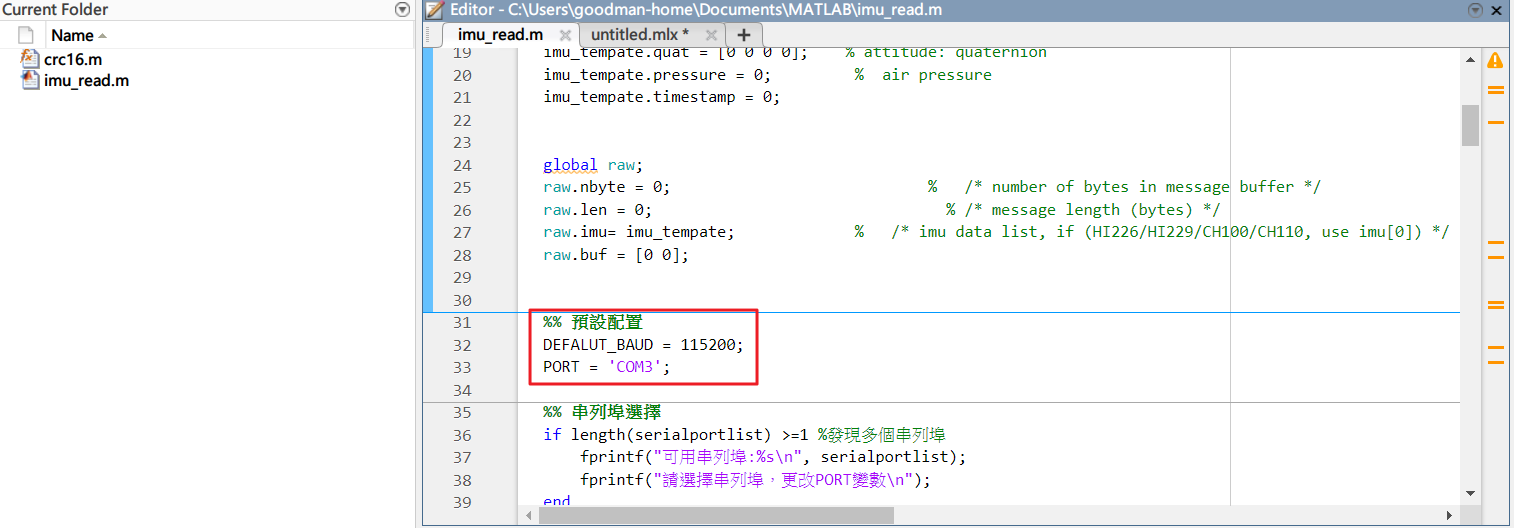
After decompression, use Matlab 2020 or later to open,
Modify the position information of the red box in the following figure: Baud rate and serial port number:
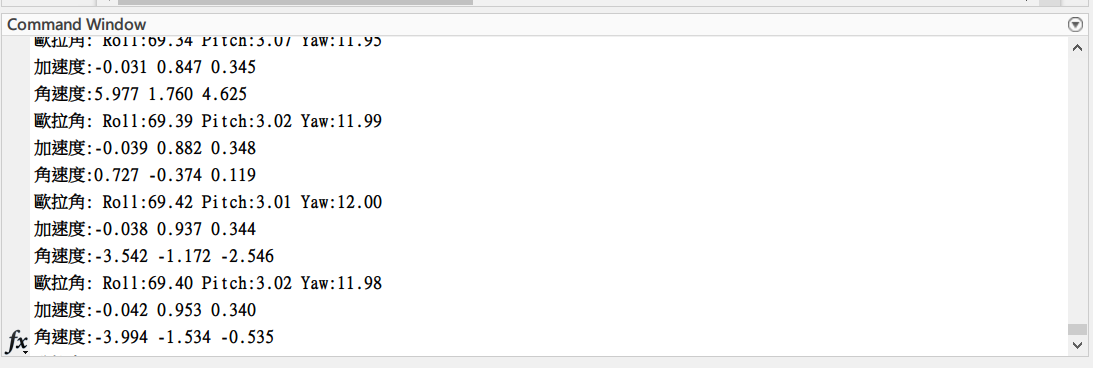
Click Run, you can get the IMU information in the output area, you can modify the value to be printed out in the program
-
raw.imu.id
-
raw.imu.acc
-
raw.imu.gyr
-
raw.imu.mag (only valid for 9-axis mode)
-
raw.imu.eul
-
raw.imu.quat